
Extended Page Lists 2.0.0 is a major release. The classic shortcode and sidebar widget still handle hierarchical page lists, but the headline addition is a pair of native Elementor widgets—list and grid—with Style controls for cards, images, titles, excerpts, and post details, plus query sources and pagination that make child-page layouts practical on real sites.
If you already use Extended Page Lists for menus or section indexes, 2.0.0 keeps that path intact. If you build in Elementor, you can stop fighting limited WordPress-widget wrappers and design page lists the same way you design the rest of the page.
1. Two Elementor widgets: List and Grid
Version 2.0.0 ships Extended Page List and Extended Page Grid under the Extended Page Lists category in Elementor. The list widget is the styled successor to the classic hierarchical list. The grid widget focuses on direct children in a responsive card layout—ideal for section hubs like “About,” “Services,” or a test tree with many branches.
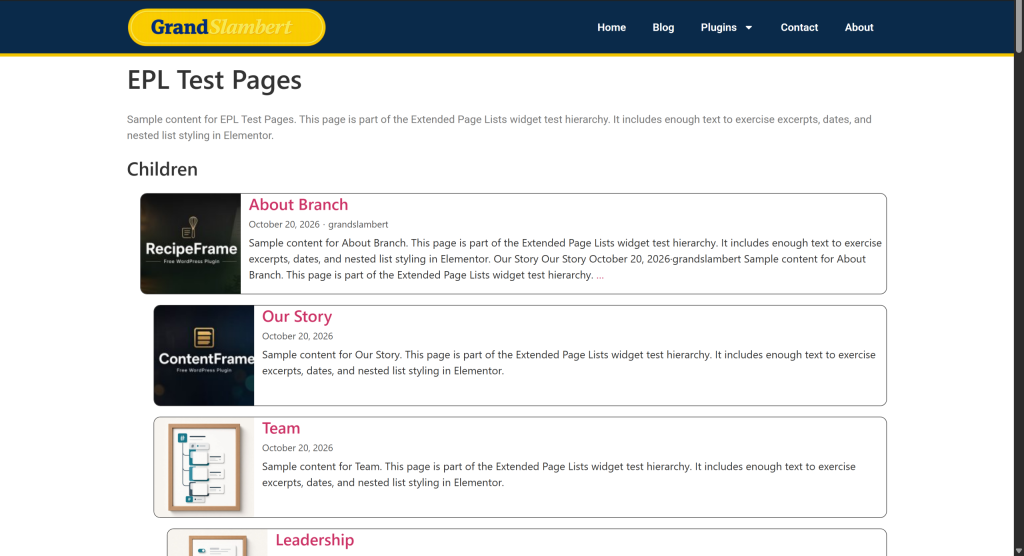
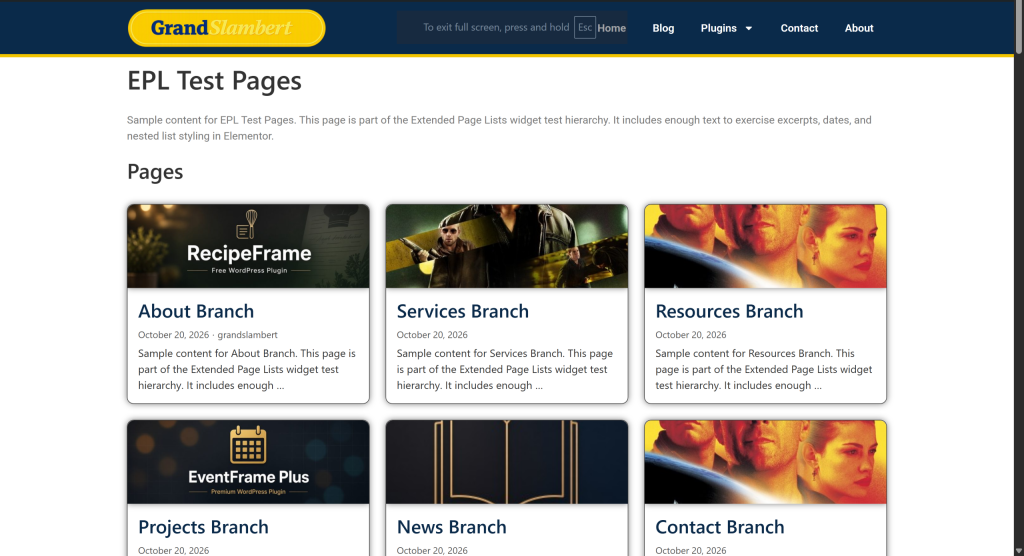
- List widget for hierarchical or flat page feeds with indent controls
- Grid widget for direct descendants in equal-height cards
- Shared query engine so both widgets stay consistent
- Classic WP widget hidden inside Elementor so you use the Style-capable widgets instead
2. Cards you can actually style
Each page entry renders as a card shell: featured image, title, excerpt, and meta (date / author). Style tabs cover section title, cards (background, border, radius, box shadow, hover lift), featured images, page titles, excerpts, and post details. Optional Link entire card turns the whole card into one click target without nested links.
- Card padding, borders, shadows, and hover states
- Image size, position, and object-fit controls on the grid
- Title HTML tags for section and item headings
- Whole-card linking for cleaner UX
3. Query power for real page trees
Lists are only useful when they show the right pages. 2.0.0 adds source controls for current page children, sibling pages, a specific parent, and—on the list widget—top-level, all pages, or a hand-picked selection. You can include the parent in the result set, pin pages to the top, limit descendant depth, and sort by menu order, title, dates, or a custom field.
- Current children, siblings, or a chosen parent
- Include parent and pin-to-top helpers
- Max depth when showing all descendants
- Custom field sort (text or numeric)
4. Pagination, load more, and infinite scroll
Large branches no longer need to dump every child on the page. Both Elementor widgets support pagination modes: show all, numbered pages, a Load more button, or infinite scroll. Items-per-page and load-more label are configurable, with matching Style controls for the pagination UI.
- Page numbers for deliberate browsing
- Load more for progressive disclosure
- Infinite scroll for long exploratory lists
Who should update to 2.0.0
Update if you want child-page hubs inside Elementor without custom loops, or if you need card styling and pagination on section indexes. Shortcode and classic widget users can update safely—the 1.x workflows remain. Builders who live in Elementor should prefer the new widgets for any new page list.
In short: Extended Page Lists 2.0.0 turns a classic page-list utility into an Elementor-ready layout tool—list or grid, styled cards, smarter queries, and pagination that scales with the tree.
Browse other tools in the plugin catalog on GrandSlambert.