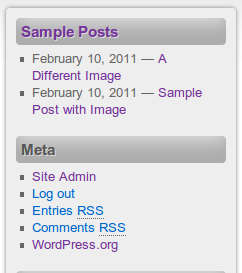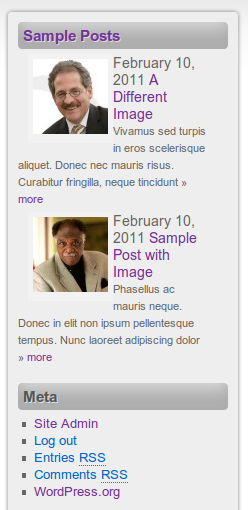

Pretty Sidebar Categories helps you show the right posts in the right place. Pull posts from any term in a taxonomy—categories, tags, or custom taxonomies—and display them in classic WordPress sidebars or with a dedicated Elementor widget. Visitors can jump to related content without leaving the page they are reading, which keeps navigation clear and your archives more useful.
Why Pretty Sidebar Categories improves related reading
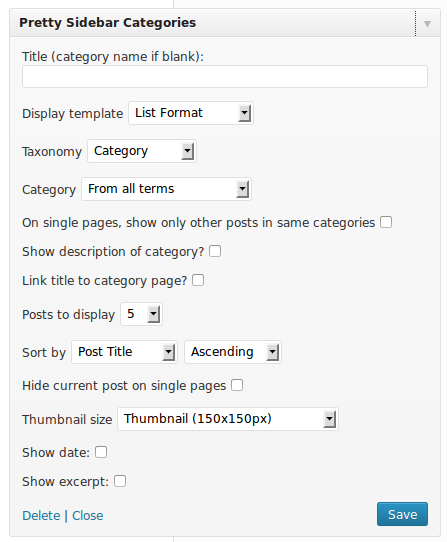
Choose a template that matches your layout, then decide how much detail each item should show. Control excerpts so lists stay scannable, and turn dates on or off when freshness matters. That flexibility works for blog sidebars, topic hubs, documentation sections, and product or portfolio taxonomies where a focused post list belongs beside the main content.
Use it to highlight a single category on a landing page, surface recent posts in a niche tag, or build a recurring “more in this topic” block beside long articles. Because the list is driven by taxonomy terms, you update content in WordPress as usual and the sidebar or widget reflects those posts without custom queries or one-off theme code for every section of the site.
How Pretty Sidebar Categories styles your lists
Styling stays in Elementor where you already work. Pretty Sidebar Categories ships as a native Elementor widget with its own Style tab, so you can adjust typography, spacing, colors, and related design settings without fighting the WordPress widget wrapper. Classic sidebars remain supported for themes and layouts that still use them, so mixed sites—classic, block, and Elementor—can use the same idea in more than one place.
Editors get a familiar widget and Elementor controls; visitors get a consistent path into related reading. Dedicated sidebar image sizes keep featured photos tidy in narrow columns, and template overrides let developers refine markup when a theme needs a closer fit. Whether you publish a personal blog, a documentation library, or a content hub with many taxonomies, Pretty Sidebar Categories keeps taxonomy-driven post lists structured, reusable, and ready to display on every page where related posts belong. Pretty Sidebar Categories has been refined for current WordPress and Elementor releases so lists stay easy to manage.